Best Instagram Viewer Without an Account: Safe Public Viewing Guide
Checking someone’s public Instagram should be simple, but a lot of viewer sites make it feel risky. You may only want to see a public profile, recent posts, stories, reels, or highlights without signing in. The best Instagram viewer without an account should do that without asking for your password, pushing strange downloads, or pretending it can open private pages.
Why People Search for an Instagram Viewer Without Login ?
Most people search for an Instagram viewer because they only need a quick look, not another login. Maybe they want to check a creator’s recent public posts before sending a message, see whether a small business is active, or open Instagram from a work computer without using their own account. In these cases, the goal is simple: save time, keep browsing light, and avoid unnecessary account access. The best Instagram viewer without an account should make that quick check easier without making the user feel exposed.
What You Can View on Instagram Without an Account ?
Before you trust any Instagram viewer, it is worth knowing what it can actually show. In most cases, the best Instagram viewer without an account helps you check basic public details like the bio, profile photo, recent posts, reels, captions, and sometimes active stories or highlights. Some items may not load every time because Instagram often changes how content appears outside the app. A good Instagram viewer without a login should be honest about that. For everyday use, treat it as a way to browse public content, not as a tool that can reveal everything on Instagram.
Key Features of the Best Instagram Viewer Without an Account
A good viewer should make quick checks easier, not turn a simple search into a risky process. Before using one, look at how it behaves in the first few seconds, because small details usually show whether the tool is built for less risk or more clicks.
- It should open in the browser without asking you to install an app.
- It should let you search by username or profile link.
- It should not ask for your Instagram login, email, or verification code.
- It should separate posts, reels, stories, and highlights clearly.
- It should load public results without sending you through several pages.
- It should explain when a profile or item cannot be viewed.
That is where the best Instagram viewer without an account stands out. It helps with public profiles and visible content, but it should never pretend to offer private access.
Instagram Viewer Red Flags
An Instagram viewer can look clean and still be risky, so check the page before you type anything into it. The biggest problems usually show up early: password requests, forced installs, and promises that sound too good for a normal public Instagram viewer.
- It asks for your Instagram password, email login, or two-factor code.
- It tells you to install an APK, extension, or “viewer app.”
- It promises access to private profiles, hidden stories, or locked highlights.
- It blocks results behind surveys, offers, or fake verification.
- It sends you through several pages before showing anything useful.
- It hides the real button among copied Download or View buttons.
A safe tool should not make you work around traps. The best Instagram viewer without an account keeps the process simple, respects public access limits, and never turns a quick search into a security risk.

Can You View Private Instagram Profiles Without an Account?
No. Private Instagram profiles are not just public pages with a hidden button. When someone sets an account to private, their posts, stories, reels, and highlights are meant to stay visible only to approved followers. A normal viewer cannot unlock that from outside Instagram, and the best Instagram viewer without an account should say this clearly instead of making big claims.
Be careful with sites that show fake progress bars, ask for “verification,” or promise private profile access after a few extra steps. The only safe option is to send a follow request and wait for approval. Anything else is usually a viewer scam.
Best Use Cases for a Public Instagram Viewer
In real use, a public Instagram viewer is helpful when you only need a quick check, not a full scroll session. You might want to see whether a cafe has posted today’s menu, check a creator’s recent activity before reaching out, or review a competitor’s public reels from your laptop. It can also be useful on a shared computer, during market research, or before contacting a business through its profile. For these simple tasks, the best Instagram viewer without an account keeps browsing separate from your personal login and gives you a cleaner way to view public content.
How to Choose a Safe Instagram Viewer Without Login?
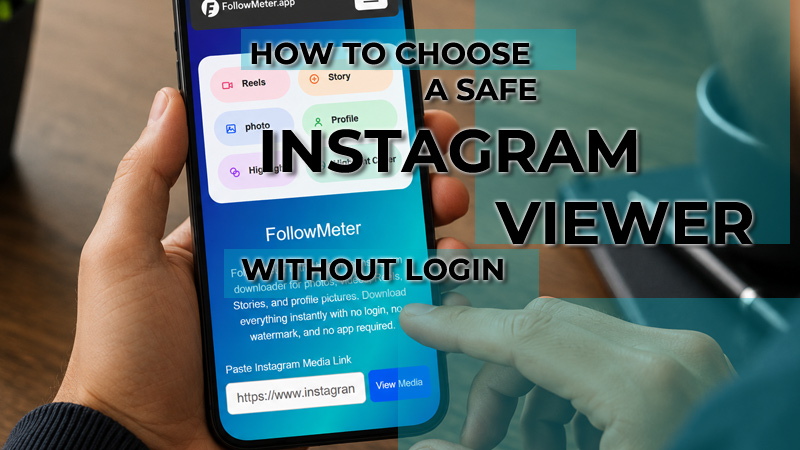
To choose the best Instagram viewer without an account, start with a small test on a profile you already know is public. A safe Instagram viewer without login should show a result without asking for browser permissions, extra steps, or account details.
Check whether the page uses a clean search box, loads the real public profile, and explains missing posts instead of blaming your device or asking you to “verify.” Also, notice the page behaviour after one search. If new tabs, copied buttons, or strange pop-ups appear, leave. A reliable Instagram viewer, no login, no app experience, should feel calm, predictable, and limited to visible content. That is usually a better sign than big claims or flashy promises.
Final Verdict: What Makes an Instagram Viewer Worth Using?
A viewer earns trust when it does one simple job well: it helps you check visible Instagram content without making the process feel shady. Clear results, normal page behaviour, and honest limits matter more than flashy promises. For someone checking a public creator, brand, café, or event page, the tool should save time and keep the visit low-risk. That is what separates a useful option from a noisy website. In the end, the best Instagram viewer without an account should offer simple browsing with no pressure.
FAQs
Can I use an Instagram viewer without creating an account?
Yes, as long as the profile is public and the content is available outside the app. For many readers, the best Instagram viewer without an account is simply a faster way to check a public page without signing in. It can help with posts, reels, profile details, or highlights, but it still depends on Instagram’s limits.
Is an Instagram viewer without a login safe?
It depends on the site. A safer Instagram viewer without login works in the browser and does not ask for your password, email, code, or app installation. Before using one, test it on a public profile and watch for strange redirects or copied buttons. Those small signs often tell you whether the tool is safe or risky.
Can I view Instagram anonymously?
You can keep your own Instagram account out of the visit when using an anonymous Instagram viewer. That is useful for basic research, shared devices, or quick checks. It does not mean private content becomes visible.