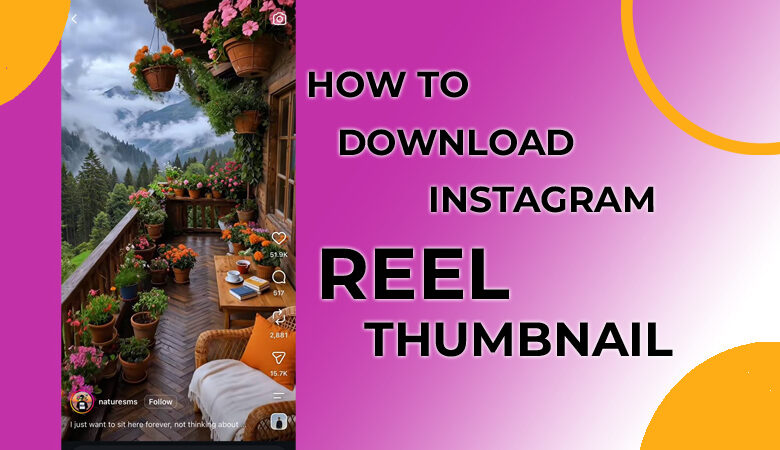
You’re scrolling through Instagram when a Reel suddenly stops you; the video is interesting, but its cover image is what really catches your eye. You want to download Instagram Reel thumbnail, yet Instagram gives you no obvious button to save that image on its own.
A screenshot seems like the easiest answer, but the result may be cropped, blurry, or filled with Instagram’s interface. So where does that clean Reel cover actually come from, and can you get it without downloading the entire video?
The good news is that you can retrieve the available cover image using a simple URL-based method. In this guide, you’ll discover exactly how to do it, which Instagram Reel thumbnail downloader tools can help, and what to know before saving the image.
What Is an Instagram Reel Thumbnail?
An Instagram Reel thumbnail is the visual cover shown before someone opens a Reel. It can be a frame selected from the video or a separate cover chosen by the creator. In other words, the thumbnail is not necessarily a frame that appears during playback.
A strong cover can help viewers understand what a Reel is about before they watch it. That makes it useful for:
- Content research
- Design inspiration
- Mood boards
- Social media planning
- Presentations
- Studying successful Reel covers
A dedicated service can retrieve the available thumbnail image directly instead of making you capture the screen and crop away the Instagram interface. Some tools can extract thumbnails from public Instagram Reels and posts and provide a preview before downloading.
(3) Methods to Download Instagram Reel Thumbnails
Whether you’re using a phone or computer, downloading an Instagram Reel thumbnail takes just a few simple steps. All you need is the Reel link and a compatible thumbnail downloader to retrieve and save the available cover image.
General Method for Downloading an Instagram Reel Thumbnail
The basic process takes only a few steps and works from a phone or computer.
- Open the Reel and Copy Its Link: Find the Reel you want to use. Open its sharing options and choose Copy Reel Link. The link identifies the post that the downloader needs to process. The resulting Instagram Reel URL can usually be copied from the Instagram app or directly from your browser’s address bar.
- Choose a Suitable Downloader: Open an online thumbnail downloader that supports Instagram Reels. For example, some tools support Instagram video, Reel, and Story links, while others provide a similar URL-based workflow for both desktop and mobile users.
- Paste the Link: Insert the copied address into the tool’s input field. Some services specifically ask you to paste Instagram URL, while others simply label the field for an Instagram post, video, or Reel.
- Review the Available Image: After processing, the service may display one or more versions. Check that the result matches the Reel you selected before saving it. Some tools display a preview before you download the file. This can help you avoid saving the wrong image.
- Save the Image: To save a Reel thumbnail without installing an app, choose the download option for the version you want. Depending on your browser and device, the file may appear in your Downloads folder, Files app, or photo gallery. This workflow is the core method for anyone who wants to download Reel thumbnail without installing an app.
Download Instagram Reel Cover on iPhone and Android.
You do not normally need a dedicated app for this task. A browser-based downloader is enough when the service supports publicly accessible Reel URLs.
- Open Instagram.
- Find the Reel.
- Tap Share or the three-dot menu.
- Select the option to copy the link.
- Open the downloader in Safari, Chrome, or another mobile browser.
- Paste the copied address.
- Process the link and preview the result.
- Save the thumbnail to your device using the download option provided by the service.
This mobile workflow works on both Android and iPhone: open the browser, paste the Reel link, and save the resulting image. This method makes it easy to save the thumbnail while you are browsing on your phone.
Download Instagram Reel Thumbnail on PC
On a computer, the process is even more straightforward. Open Instagram in your browser and locate the Reel. Copy the address from the browser’s address bar, open a compatible Instagram thumbnail downloader in another tab, and paste the address into its input field.
After the Instagram Reel thumbnail downloader service processes the page, preview the Reel cover image and save it to your computer. The same general sequence works on most desktop-compatible tools. If you want to download Reel cover image, this desktop method is usually one of the quickest options.
Can You Download an Instagram Reel Thumbnail Without a Screenshot ?
A screenshot is a workaround, but it is not always the cleanest option. When you capture the screen, you may also capture interface buttons, notifications, browser elements, or other parts of the display. You then have to crop the result manually.
A dedicated service can instead return the available cover asset without those surrounding elements. This can be useful when you need an Instagram video thumbnail for research, a presentation, or a design reference.
It also lets you download Instagram Reel cover image without first editing out the surrounding Instagram interface. Some tools specifically highlight this advantage over taking and cropping screenshots.
What Is the Difference Between a Reel Thumbnail and a Cover ?
The terms are often used interchangeably, but there is a practical distinction when you save the Reel cover image and compare it with the Reel cover.
| Feature | Reel Thumbnail | Reel Cover |
| What it is | A preview image used to represent the Reel in different parts of Instagram | The visual selected by the creator to represent the Reel |
| Where it appears | Can appear in feeds, profiles, search results, and other Instagram surfaces | Primarily represents the Reel on its profile or other preview locations |
| Source | May be generated from or associated with the Reel’s visual content | Can be a frame from the video or a separately uploaded image |
| Relation to the video | May not always match a specific frame you remember from playback | Can be specifically chosen to create a particular visual presentation |
| Visual result | The Reel preview image you see may differ from the video frame itself | The Instagram cover photo may be completely different from the video’s actual frames |
Can You Download an Instagram Reel Thumbnail in HD ?
The available resolution depends on the asset Instagram exposes and what the downloader can retrieve. Some third-party services provide multiple versions when available.
Some services can return both regular and HD thumbnail versions for Instagram posts, Reels, Stories, and carousel posts.
If you are specifically looking for Instagram Reel thumbnail HD, choose the high-resolution thumbnail option the service actually provides rather than assuming every Reel has the same dimensions.
Some services may also label a file as an original thumbnail or offer several quality options. The important point is to select the version that provides the best result for your intended use.
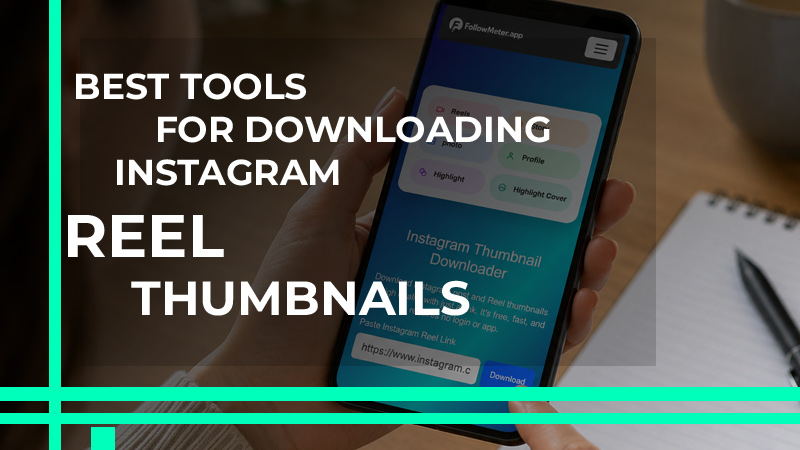
Best Tools for Downloading Instagram Reel Thumbnails
Different tools can help you extract Instagram Reel thumbnails, but they are not all designed for the same purpose. Some focus on quick Instagram Reel thumbnail downloads, while others provide more quality options or support automated workflows.
- Toolzin: Toolzin provides a simple Instagram Reel thumbnail downloader to extract thumbnails from publicly accessible Instagram videos, Reels, and Stories. You can enter the Reel link, process it, preview the available image, and download the result without installing additional software.
- FollowMeter: FollowMeter is designed specifically for retrieving Instagram thumbnails through a URL. Its straightforward interface makes it suitable for users who want to download thumbnails online from a phone or computer without installing an app.
- Future Dev Tech: Future Dev Tech supports thumbnail extraction from public Instagram Posts and Reels. The service provides a preview of the extracted image before downloading, which can help you confirm that the result belongs to the correct Reel.
- FastVideoSave: FastVideoSave focuses on extracting images from Instagram videos and Reels. It can be useful when you need a quick Reel cover download rather than the complete video.
- Ultra Thumbnail: Ultra Thumbnail supports several Instagram content types and provides different thumbnail quality options. If you want to preserve as much detail as possible, you can select the highest available quality offered for the particular Reel.
- Apify: Apify is designed more for developers and automated workflows than occasional manual downloads. Its Instagram Reels thumbnail service can process Reel URLs programmatically and return structured thumbnail information, making it useful when you need to handle multiple Reels.
For users who specifically need an Instagram Reel cover downloader, a URL-based service is generally the simplest option.
If your goal is to save Instagram Reel cover images regularly, choosing a tool with a preview and quality options can make the process more convenient. For larger-scale projects, an Instagram thumbnail tool with API support provides greater flexibility.
Final Thoughts
With the right URL-based tool, you can download Instagram Reel thumbnail quickly without downloading the entire video or relying on a low-quality screenshot. Choose a reliable option, use the highest available quality, and always respect the creator’s rights when reusing the image.
Have you ever found the perfect Reel cover but had no idea how to save it? What would you use a downloaded Reel thumbnail for? Tell us which method worked best for you and why. Drop your favorite thumbnail-downloading trick in the comments!